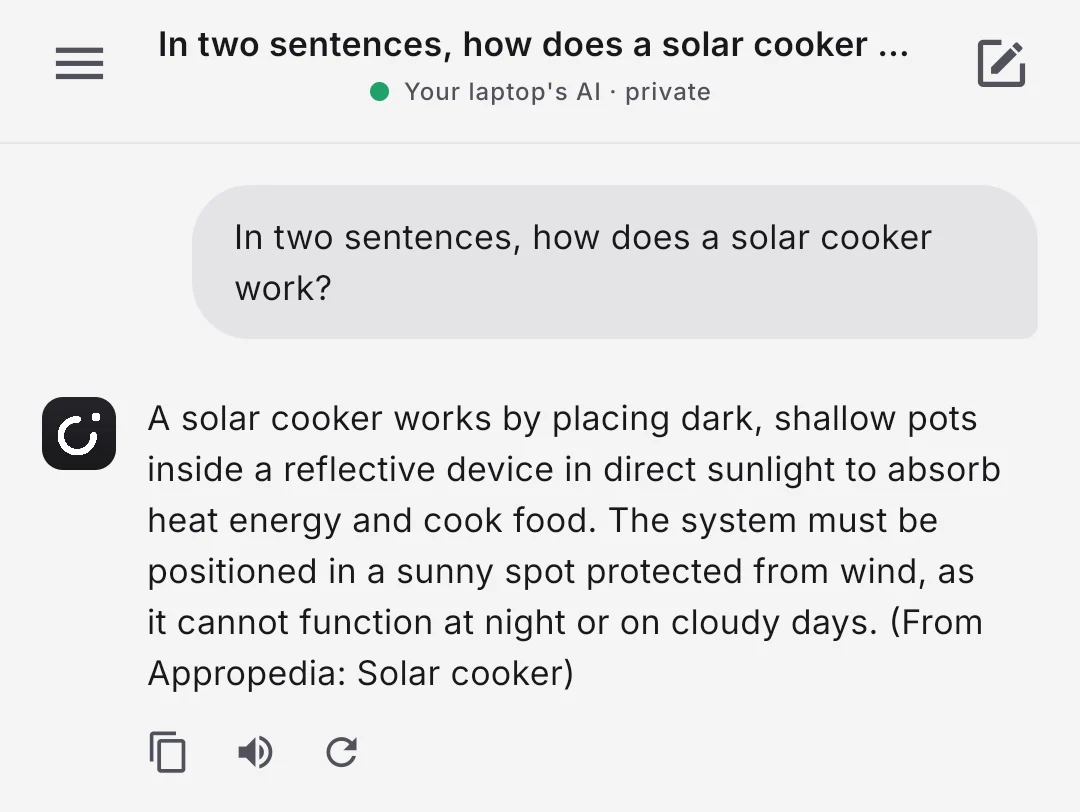
It looks it up, then tells you where.
For each question, Aislet searches the libraries on your phone, gives the best passages to the AI and names the article it used. You can check any answer against the page it came from.
Wikipedia
The encyclopedia, in full or in smaller selections.
WikiMed
Wikipedia’s medical articles, for health questions.
Appropedia
Practical guides to water, energy, food and building.
Any Kiwix library
Already use Kiwix? Aislet moves your .zim files in without copying them.
Everyday help, done on the device.
Yours to look after, not a service.
-
Memory you can see
It learns lasting facts about you as you talk. Read them, change them, or let Tidy up find the duplicates and the out-of-date ones.
-
Phone and laptop together
Pair them by scanning a QR code, with no account. At home the phone uses the computer’s AI, and memory and notes stay in sync.
-
Share from any app
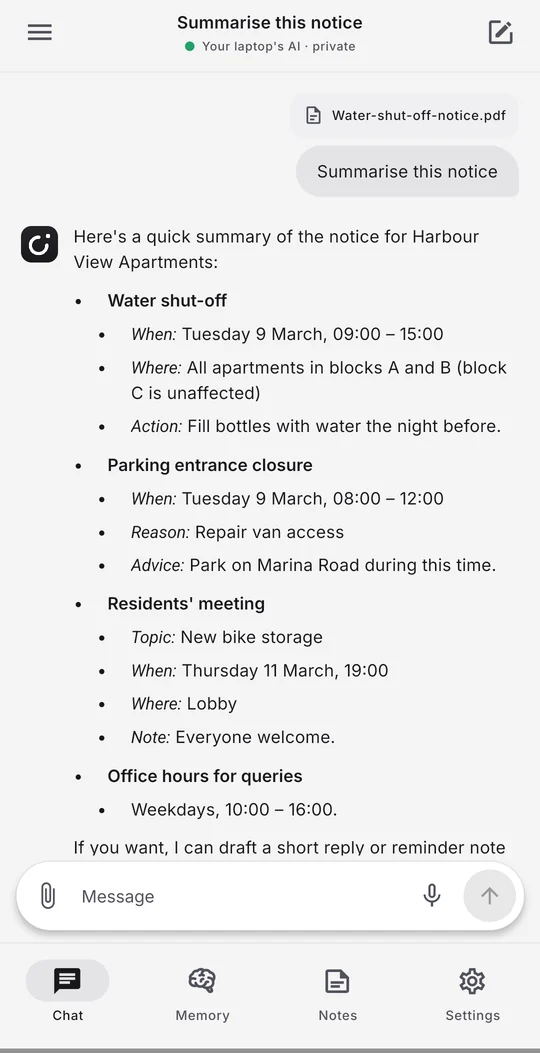
Send text, a screenshot or a PDF to Aislet from any Android app, then ask about it.
-
Encrypted backups
Each day it saves an encrypted copy of your memory and notes to a folder you choose. Your passphrase restores it.
-
Works in aeroplane mode
On a plane, off-grid or abroad without data, it still answers. Only downloads, and web search if you switch it on, need a connection.
-
Talk instead of typing
Speak a question and hear the answer, using your phone’s own offline speech.
How private is it?
What goes online
Downloads: AI models when you tap Download, the computer app when you install it, and the libraries you choose to add. Web searches, only if you switch on Search the web: just the search words go to DuckDuckGo.
What never does
Your chats, memory, notes, photos, PDFs and voice. There’s no account, no analytics and no ads, and Android’s cloud backup is off.
Voice stays on the phone
Aislet only uses the phone’s offline speech recognition. If a phone has none, there’s no voice typing rather than audio sent online.
Phone and computer talk directly
Everything between them is encrypted with a key made from your pairing code, which never crosses the network. Replayed or altered requests are refused.
Check it yourself
Turn off Wi-Fi and mobile data: everything except downloads and web search still works. Or read the security model and the attack tests.
Get Aislet
Android phone
Android 8 or later. A phone with 8 GB of memory runs the built-in AI best.
Open the file to install it, then follow the set-up. For automatic updates, add it to Obtainium. What’s new is in the release notes.
Check it’s the genuine app
The package is app.untethered.assistant, and the SHA-256 of its signing certificate is:
25:C6:D2:76:14:C5:E6:1B:20:58:6B:A2:62:64:E9:A8:8F:B0:49:95:20:17:AD:98:C2:14:4B:F6:90:1C:1E:9A
Computer
Windows 10 or 11: open PowerShell and run:
irm https://raw.githubusercontent.com/latczar/aislet/main/install/install.ps1 | iex
It adds Ollama and Python if they’re missing, picks an AI model to suit your graphics card, and puts Aislet in the Start menu.
Linux and Mac: install Ollama first, then open a terminal and run:
curl -fsSL https://raw.githubusercontent.com/latczar/aislet/main/install/install.sh | sh
Linux is tested on Ubuntu 24.04. The Mac version hasn’t been tested yet; if you try it, please say how it went.
To link them, open Settings, then Home, on the computer. On the phone, open Aislet’s Settings, then Home, and tap Scan the laptop’s code. Both need to be on the same Wi-Fi.
Open source, so you can check for yourself.
Aislet is free software under the GPL, version 3 or later. Read every line, build it yourself, or report a problem on GitHub.
Questions
What do I need?
An Android phone with Android 8 or later; 8 GB of memory is recommended for the AI that runs on the phone. The computer side is optional and runs on Windows 10 or 11, Linux or Mac, with Ollama. On Windows the installer adds Ollama for you.
Does it really work with no internet?
Yes. Once the AI model and any libraries are downloaded, chats, memory, notes, libraries and voice all work in aeroplane mode. At home, the phone and computer talk over your own Wi-Fi, not the internet.
How do I add Wikipedia or another library?
Download a .zim file from library.kiwix.org, such as Wikipedia or WikiMed, then turn on Libraries in Aislet’s settings and follow the steps there. If the Kiwix app already has your libraries, Aislet can move them across without making a second copy.
Which AI does it use?
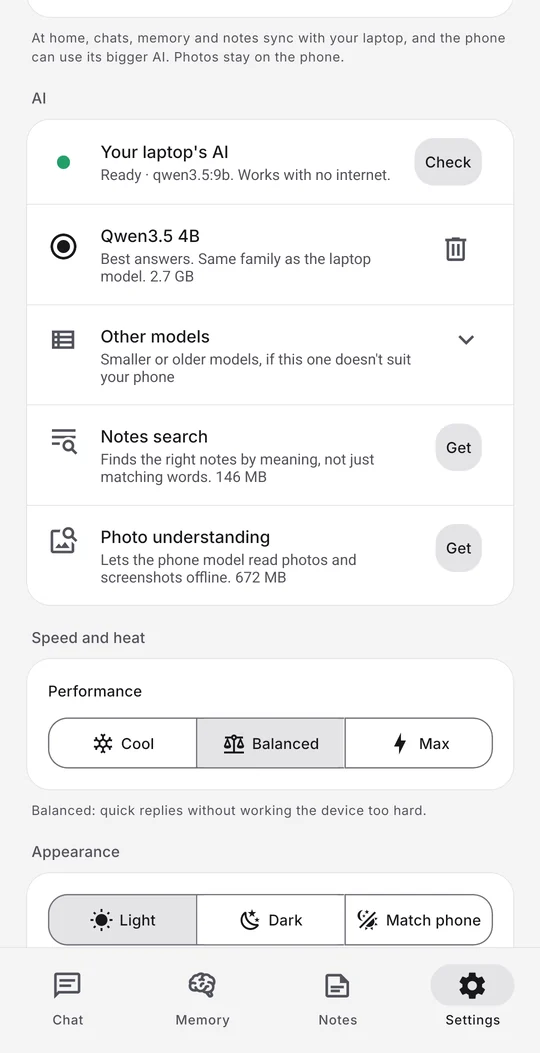
Open models that run on your own devices: Qwen3.5 on the phone, and on the computer a model sized to your graphics card, through Ollama. Nothing is sent to an AI company.
Is it free?
Yes. No subscription, no ads, no account. It’s open source under the GPL, version 3 or later.
Is there an iPhone version?
Not yet: the phone app is Android only. The computer side runs on Windows, Linux and Mac.
Can it get things wrong?
Yes, like any AI. That’s why answers from a library name the article they came from, so you can read it yourself.